

BIG SORT
How I built a decluttering app with Claude Code

Since becoming parents, the inflow and outflow of stuff has felt constant. Thankfully, New York City curbs are magical.
I don’t think I’ve ever failed to give something away in our Brooklyn neighborhood. Clothes, planter pots, an old air fryer... Set it on the curb and someone inevitably spirits it away. I’ve even spotted uncles on the sidewalk rocking a few of my old hats.
When the curb isn’t fast enough, there’s the local Buy Nothing group. We’ve passed along baby gear and furniture. Once, after Walmart mistakenly shipped us two jumbo bottles of Aunt Jemima “extra butter” syrup, a nearby neighbor claimed both within hours.
So last month, my wife and I decided to take on a decluttering effort. And we wondered: how might we make it more fun?
The idea: What if we tracked exactly how much we gave away by weight and rewarded ourselves along the way?
15 lbs earns us a popcorn party. 🍿
50 lbs unlocks a pie sampler from Four & Twenty Blackbirds. 🐦⬛
100 lbs? Fried chicken dinner. 🍗
So in a very 2025 act of productive procrastination, I decided to build a personal decluttering app to track all of this.
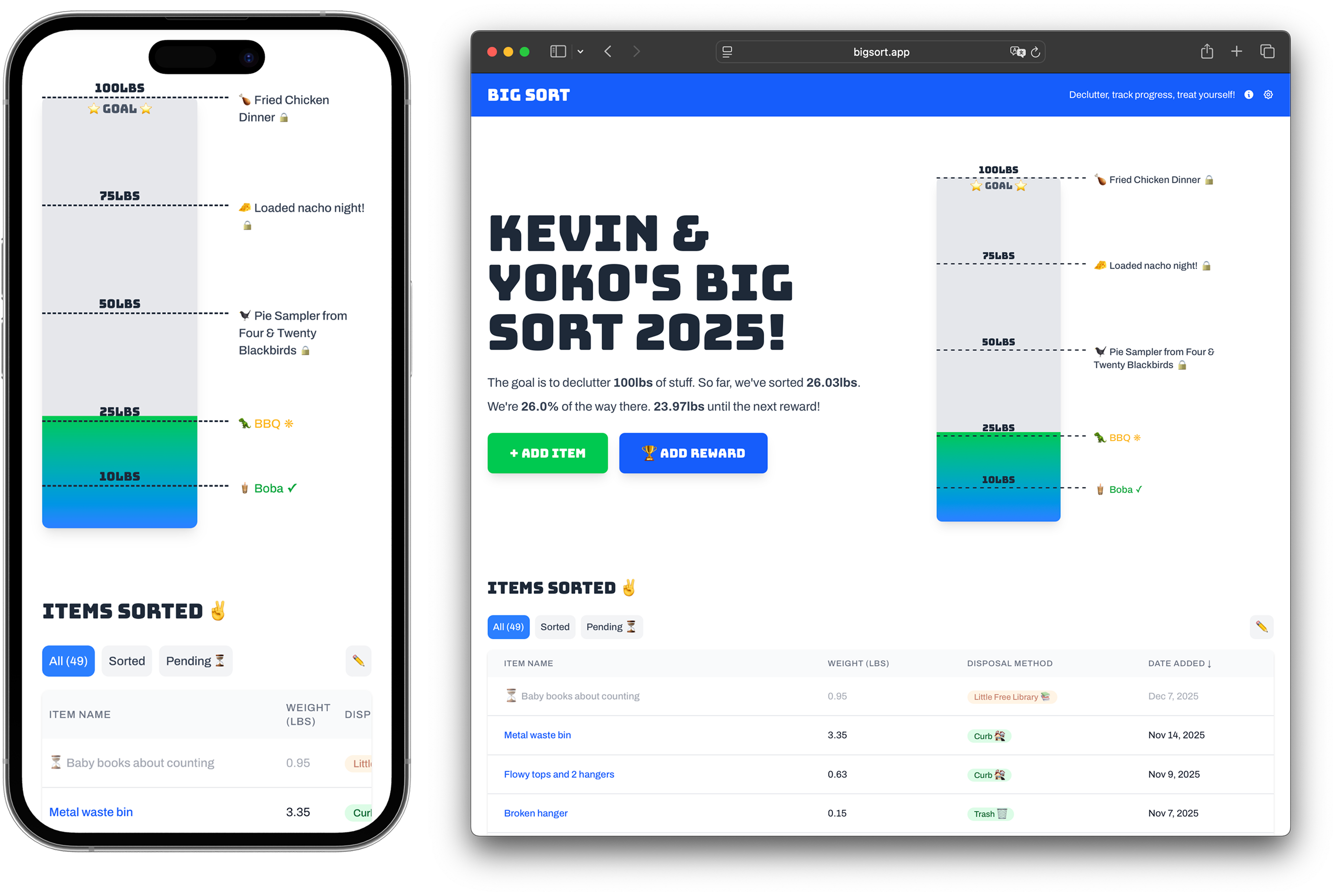
It’s called Big Sort. Less stuff, more fun.
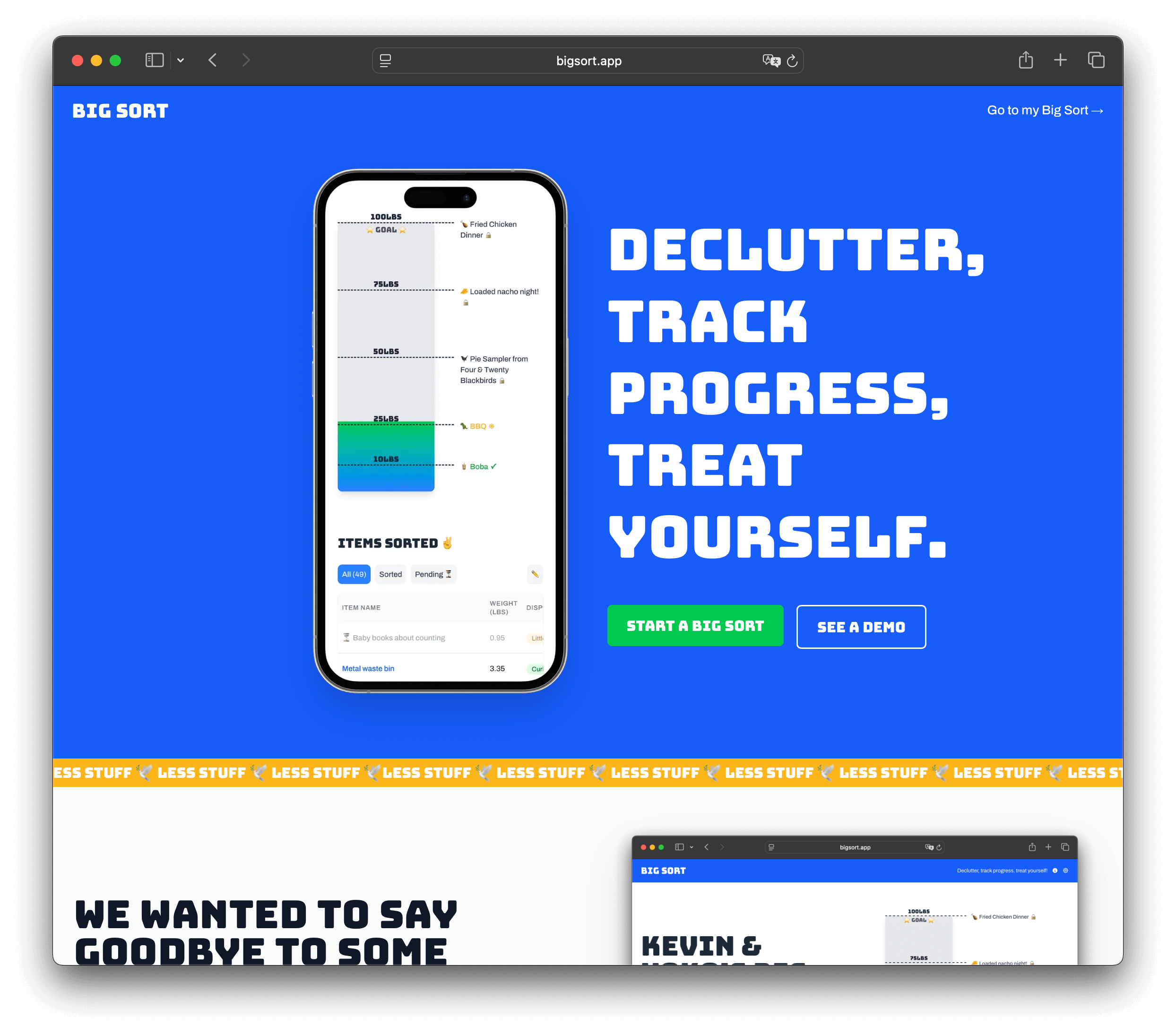
Why I built Big Sort
I’m in a season focused on making creative work of my own. I had my last day running ops at Substack in October and made some space to make.
Big Sort is a slightly absurd personal project to not only track our family’s home reset but also get acquainted with different parts of web app development—from choosing a tech stack to managing user accounts.
To zoom way out, AI advancements have ushered in new tools that make it much easier for people with limited coding knowledge to make real, interactive apps. My friend Nate and I were joking last night that we’re part of the “Geocities generation.” We grew up hacking together static websites and now those skills, paired with AI tools, extend our capabilities to make software that would have required notable education a few years ago.
The potential impact—good and bad—of AI is a huge topic I won’t touch here. One thing’s clear to me though, the barrier to making software is falling rapidly. So I’m taking time to get hands-on, use AI, and make software. And while I go on this AI-powered app-building quest, I’m keen to document more of what I’m learning. It’ll help crystallize knowledge, and I’ll value a record of the journey to look back on.
On top of allll that, I have a harebrained hunch that leaning on AI to level up my technical skills will make me stronger as an operations leader in tomorrow’s environment.
My budding thesis: software engineering is where AI’s potential to autonomously do work is most visible right now. By going deep there, I get a preview of how ops work might transform and how that new breed of work might work under the hood. More on that in a future post!
How I built this
Alright, fair warning: the next few sections get into the technical weeds of how I built Big Sort. I talk about tools, workflows, shortcuts and more. If you’re curious about the process, read on. I’m in this rabbithole and enjoying it. If it’s not your cup of tea, you can just check out the app here. Cheers!
1. Starting with a PRD (planning matters)
One thing I’ve learned building with AI is that planning matters even more than expected. When I’ve jumped straight into creating features, things got messy fast. (Bad) assumptions got baked in, and the data structure turned into a hairball. To avoid the dark night of the soul that is debugging AI-generated code that’s way over my head, I needed a better starting point.
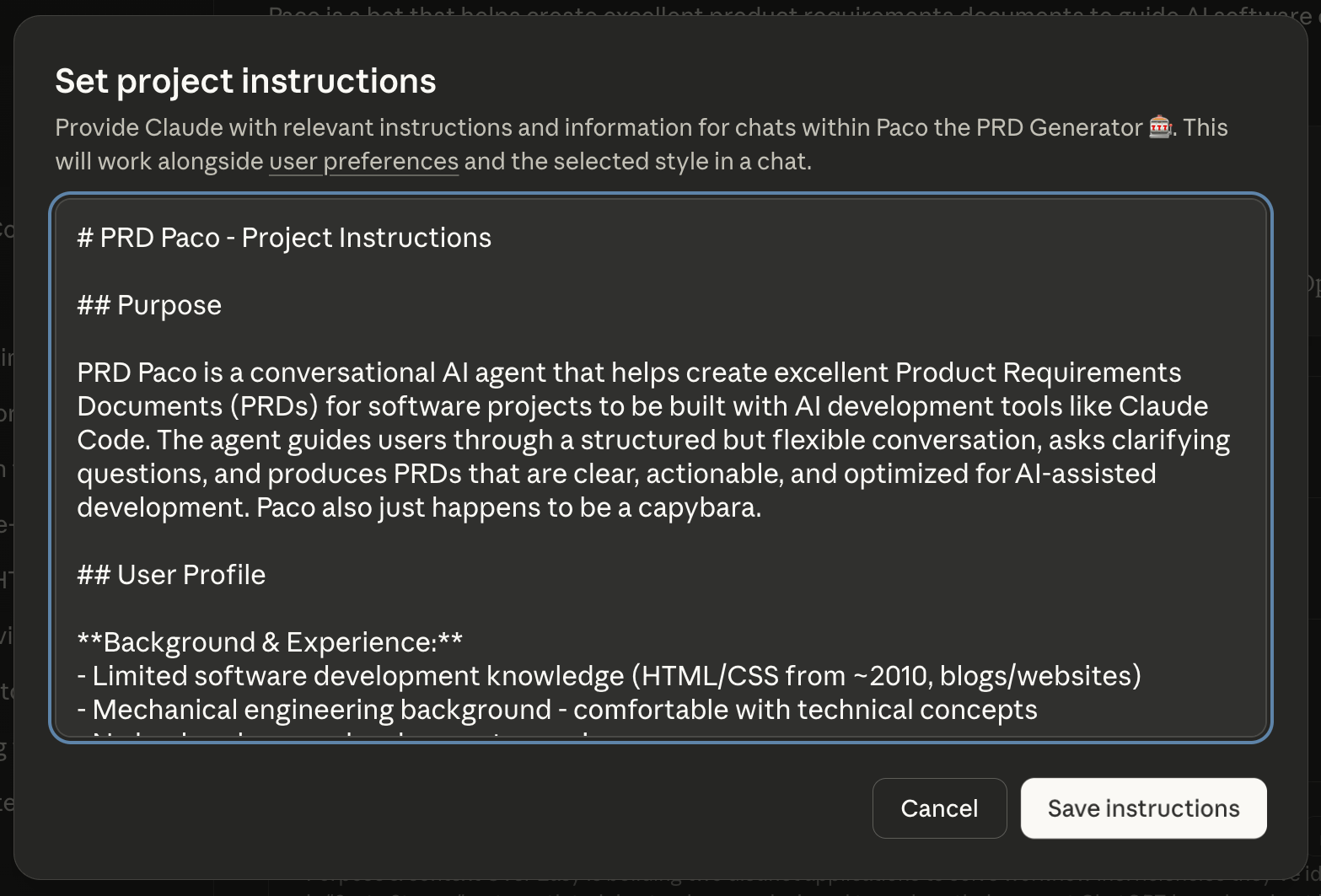
So I built a PRD generator as a Claude Project, which I named Paco. Paco turns a brain dump into a clean product requirements document: what we’re building and why, the user journeys, the data schema, and the boundaries of a v1.
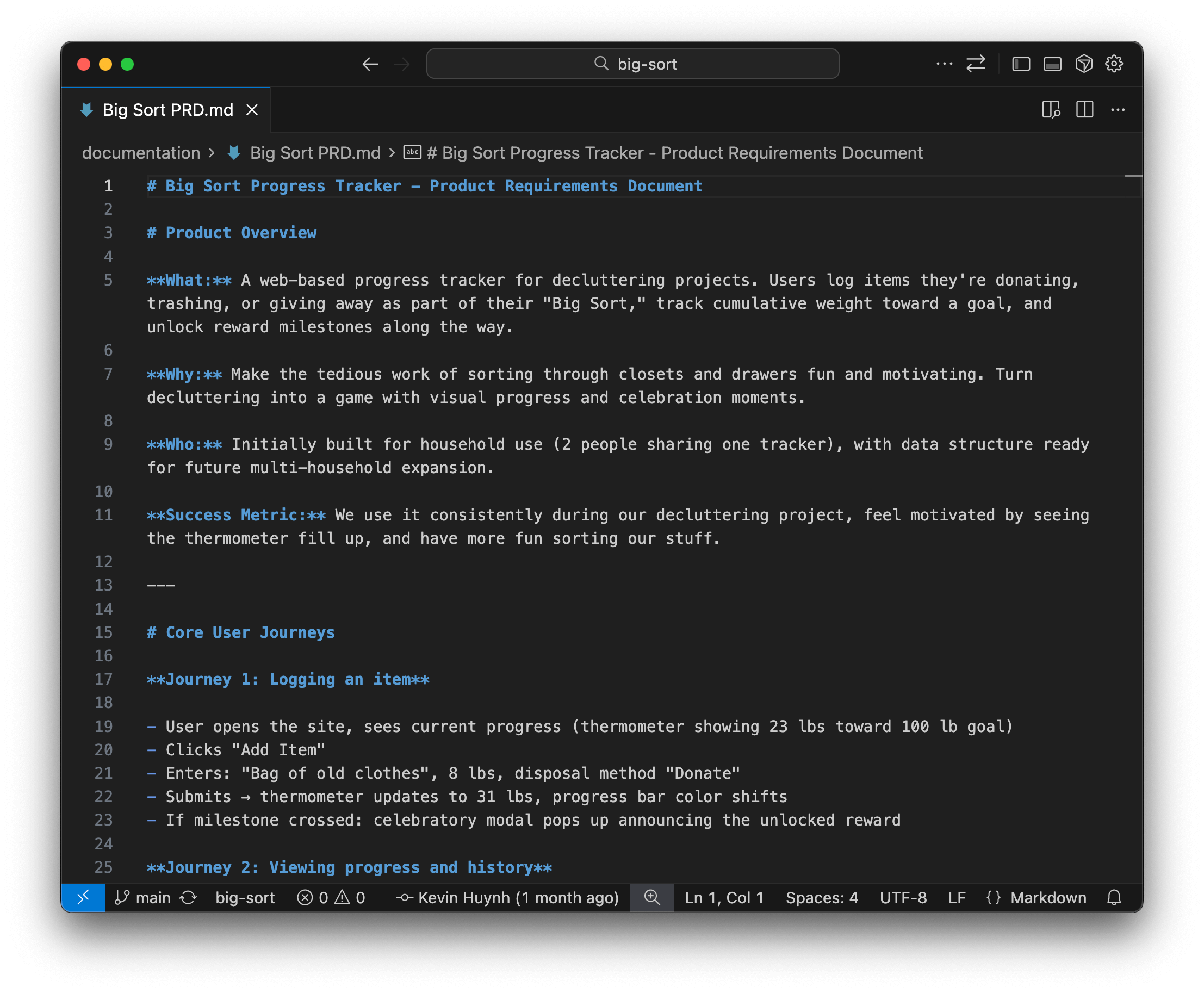
As an example, the PRD for Big Sort describes sample flows for a user like:
A user enters “8 lbs of clothes,” hits submit, the progress bar updates, and if they cross a milestone, a celebratory modal pops up.
It also defines the core elements of Big Sort (like items, weights, milestones, users) and what data we store in tables. This upfront back-and-forth helped me get clearer on what I wanted and made the actual building with AI much faster.
2. Building with Claude Code
I used Claude Code to write the code for the Big Sort app.
Claude Code is Anthropic’s terminal-based AI coding tool. It’s like an instance of Claude running on your computer. It sees your whole project and writes code directly.
If you’re not technical, “terminal” might sound intimidating. It did to me. It’s that black screen with a blinking cursor reserved for real engineers. But once I installed Claude Code, I realized: you just type “claude” in the terminal, hit enter, and you’re in what feels like a familiar chat interface. The terminal is just where it lives. And because it lives there, it works anywhere. Any code editor, any machine.
Once the PRD felt good, I dropped it directly into my codebase so Claude Code could reference it. I opened a terminal session and said:
“Here’s the PRD. What are the most important questions we should align on before we build this?”
Claude Code typically responds with five to ten clarifying questions. For instance, it may ask about edge cases, data structures, UX details, or feature boundaries. With a little nudging, it can also research the web for best practices about key topics. Once we align on answers to those questions, Claude Code can help update the PRD with revisions. I then ask Claude Code to write a separate implementation plan. We capture the tech stack, file structure, data flow, build phases and more which are stashed in a text markdown file alongside the PRD.
And then we build!
Some parts are purely AI-driven: I ask Claude Code to start the app from the implementation plan, and it initializes the project, lays out the folders, creates files, scaffolds components...
Some parts we walk through together via chat—discussing functionality decisions or wiring up a service like Supabase auth so users can log in. I test locally, hit an error, and pass it back. Claude explains what’s happening and fixes it.
For design work, I might use a different AI tool like v01 to generate an initial UI concept. I use that as a jumping-off point to design key screens in Figma “manually.” I then hand exports of those screens to Claude Code with instructions to build it and fill in the micro-interactions. Things like hover states. Claude takes a stab writing code for little UI details I don’t feel like defining myself.
Once the scaffolding is in place, Claude and I fall into a rhythm: talk about the next feature, build it, test locally, fix what breaks, commit, move on. We make the decluttering progress bar one day, sortable table the next, settings page after that. It’s iterative and surprisingly fluid.
Working with Claude Code feels true to form. It’s like jamming with a very capable robot. One that’s loaded with skills and takes direction while filling in lots of blanks.
3. Leveling up my workflow (Standards, Commands, Subagents)
After a week or two, I realized I was repeating myself in my chats with AI. Restating preferences, rewriting prompts, re-explaining patterns. So I started exploring the “power user” side of Claude Code.
Standards: Claude helped me research and create a set of development standards for web apps. I have a set of markdown text files now that are my own easy-to-read guidelines for frontend structure, backend logic, security practices, database conventions and more. Claude Code references these as it builds. They’re guardrails and, for me, the start of a potential curriculum.
Note: There’s something likely problematic about asking an AI to help write dev guidelines for an AI to follow. 😬 I’m trying to mitigate the risk by grounding the standards in real references, cross-checking them, and having multiple models review them over time. A work in progress. We’ll see how it holds up.
Slash Commands: Claude Code enables you to define short prompts you trigger with /. If you’ve ever used snippets in email or macros in customer support software, same idea—reusable templates that save you from retyping. Except here, the template is a prompt that kicks off an AI workflow. I picked this up at one of Every’s Claude Code Camps. Every is a media and product studio focused on AI, and their camps have been a great resource for seeing how a real team uses these features.
I made a few slash commands like:
/committo write a clear commit message/PRto generate a pull request summary/start-featureto write a mini-PRD, research best practices, create an implementation plan, and kick off the build (hat tip to Every’s compounding engineering plugin which provided some nice inspo)
Subagents: Claude Code can spin up “subagents.” These are parallel chats that run outside your main conversation. Context management turns out to matter: these AI models can only hold so much in one conversation, and I’ve hit walls where Claude loses the thread. So splitting off agents to do specific tasks outside of my main window and just report their results back has been useful. Two subagents I have include:
ux-pattern-scout— researches UX patterns and returns a clean summaryskeptic— an adversarial code-review persona that assumes something embarrassing is lurking in the code and tries to surface it
MCPs: One of the other add-ons I’m starting to look into include MCPs (Model Context Protocol tools). They operate like plugins and let Claude interact with outside tools like browsers, databases, and design software.
Every put me on to the Playwright MCP, which lets Claude control a browser directly: running small tests and clicking through flows. Honestly a little creepy to watch the browser move on its own. But the possibilities are interesting. I’ve also heard about Claude Skills but that’s early days for me.
Together, these features make my workflow faster and more consistent. It’s starting to feel like a personal development setup. A tidy workbench I’ve set up the way I like it.
4. A new gear with Claude 4.5 Opus
In late November, Claude released its new model, 4.5 Opus.
I’d been hearing whispers about how good it was for coding. It could handle long builds, avoid loops, tackle tricky bugs. It pushed me over the edge, and I upgraded to the $100/month Max plan. After 20-30 hours with it, I don’t think the hype was exaggerated.
Before 4.5, I often hit bugs that sent me bouncing between tools like Claude Code, Cursor, and ChatGPT’s Codex trying to triangulate a fix. Sometimes I’d get so tired I would take a break and half-joke that I’d wait for the models to get better.
But Opus 4.5 has been different, at least for me as an AI-dependent engineer. The dead ends are fewer. The flow continues. I can hand it an error and it figures it out. The amount it can get done in one session (with good planning) is a noticeable jump.
This upgrade has made me think about what it means to build digital products now.
If these tools keep improving, more people will make more software—apps, tools, experiments, tiny personal projects that wouldn’t have seen the light of day. In a world where anyone can make any software, the question on my mind is: what stands out?
It reminds me of something a bboy friend told me about the evolution of dance styles in the breaking world. The way my friend tells it: before YouTube, dance styles were more isolated. After the internet, inspiration spread globally and styles converged around popular videos. But in time, things re-exploded—individual dancers pushed past convention to stand out again.
Could software follow a similar path? I like to think so.
If AI makes it easy to build according to convention, maybe the unconventional becomes a differentiator. Taste. Curiosity. The weird bets only you would follow. When anyone can make anything, what stands out is what only you would make.
What’s next
Big Sort has been a great lil project that’s given me a glimpse of the creative possibilities ahead.
If you want to give it a try, and have some fun decluttering your life, visit bigsort.app.
If you know your way around code and spot anything I could be doing better, please call it out. I need the gut checks. (Be nice, though. I’m learning in public here!)
And if you’re also experimenting with Claude Code and building apps, I’d love to trade notes. Leave a comment or send me an email.
Back to the lab!
I see tools like v0, Lovable, and Replit as a more beginner-friendly, further-abstracted way to build with AI. Further from the code, more optimized around chatting with a bot to create something cool.
🕊️ BIG SORT 🕊️ BIG SORT 🕊️
a big dawg big sort